How to Get More Google Reviews for Your Pet Business
The best time to ask for a review is often the small, happy moment at collection. Build a simple, compliant process that turns more satisfied pet parents into genuine Google reviewers.

In this article
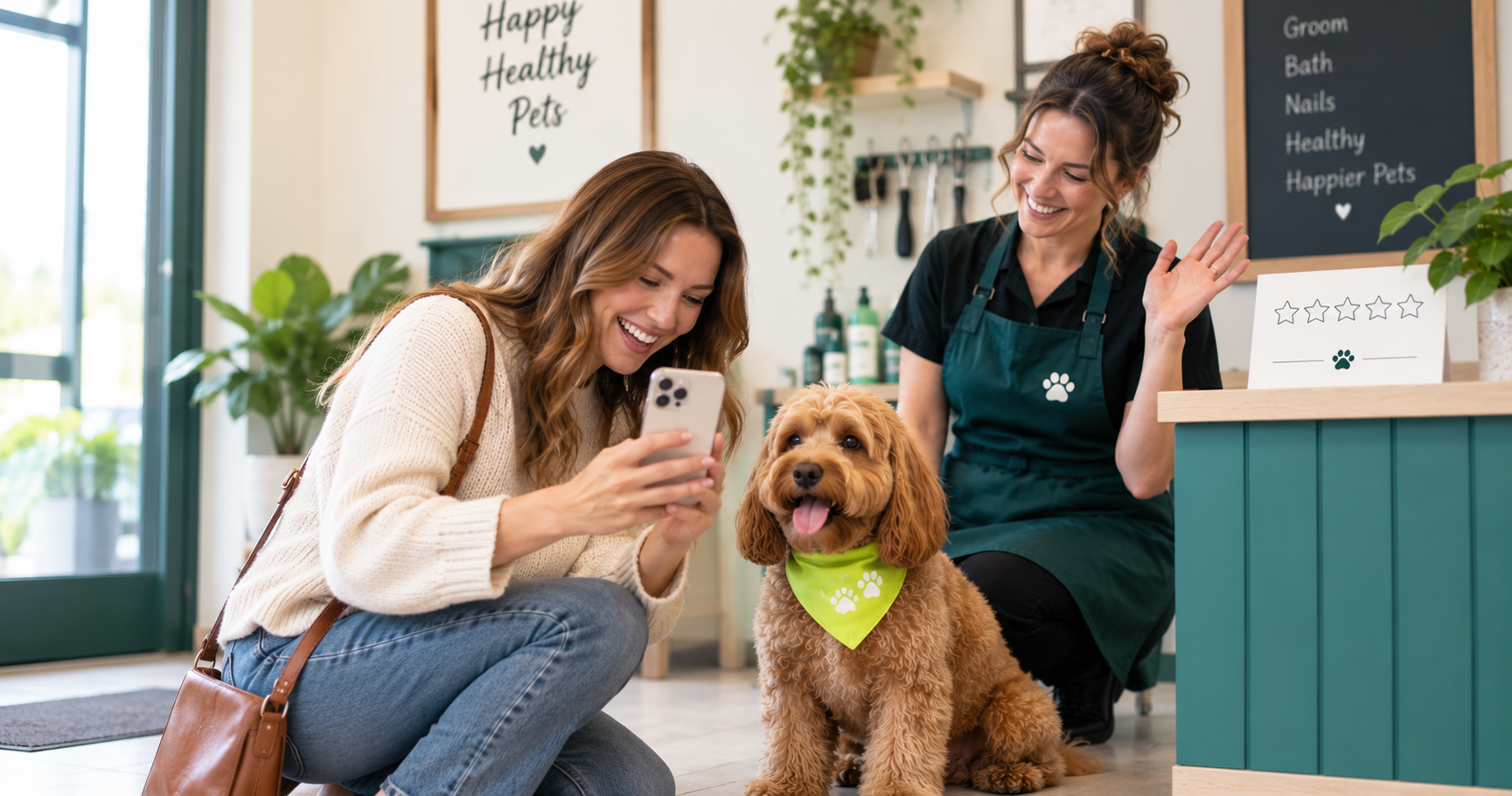
The dog has just walked out of the grooming salon wearing a fresh bandana.
Her owner smiles, takes a photograph and says, “She looks amazing.”
The groomer smiles back, processes the payment and waves goodbye.
It was a perfect moment to ask for a review. But the phone rings, the next dog arrives and the moment disappears.
This happens every day in pet businesses. Customers leave happy, pets leave looking or feeling better, and the team moves immediately to the next task. The service creates goodwill, but the business has no repeatable way to turn that goodwill into public proof.
Getting more Google reviews is not about persuading customers to say something positive. It is about making it easy for genuine customers to share an honest experience at the right moment.
That difference matters—not only for trust, but also because Google’s policies and UK consumer law place clear limits on fake, manipulated and improperly incentivised reviews.
Why reviews matter differently in pet care
Choosing a takeaway is low risk. Choosing who will groom, board or care for a pet feels personal.
Before making an enquiry, a pet parent may want to know:
- Will the staff treat my nervous dog patiently?
- Is the facility clean and secure?
- Will instructions be followed?
- Does the groomer understand this breed or coat?
- How does the business respond when something goes wrong?
- Will someone communicate with me clearly?
Your website can answer these questions, but customers know that you wrote the website. Reviews provide a view from people who have already trusted you with their animals.
A useful review often reveals more than a star rating. It may describe a smooth first visit, a patient groomer, clear boarding updates or how a nervous pet gradually became comfortable.
That detail helps the next customer decide whether your business suits their needs.
What changed for reviews in the UK?
The UK’s Competition and Markets Authority published new fake-review guidance on 4 April 2025 following changes introduced by the Digital Markets, Competition and Consumers Act 2024.
The rules address practices including:
- Writing or commissioning fake reviews
- Offering or arranging fake reviews
- Publishing consumer reviews misleadingly
- Publishing concealed incentivised reviews
- Failing to take reasonable and proportionate steps to prevent prohibited reviews when a business publishes reviews itself
The precise duties depend on how a business collects, presents or publishes reviews. The CMA’s official fake-reviews guidance should be reviewed if you display testimonials, star ratings or customer feedback on your own website.
There is also a simpler practical rule for Google reviews: do not offer an incentive.
Google’s Maps policy prohibits payment, discounts, free products or services in exchange for any review. It also prohibits asking customers to change or remove a negative review in return for a benefit. Read Google’s policy on fake engagement and rating manipulation.
A “Leave a five-star review and receive 10% off your next groom” promotion is therefore a bad idea, even when the customer genuinely visited your business.
Ask everyone—not only the visibly happy customers
Many owners use an informal filter:
- Ask the customer whether everything was good.
- Send happy customers to Google.
- Direct unhappy customers to a private feedback form.
This is known as review gating. It creates a public review sample that is deliberately skewed towards positive experiences.
Google states that merchants must not discourage negative reviews or selectively solicit positive reviews. Businesses may request reviews that reflect genuine experiences, provided they do not offer incentives or attempt to influence the rating or content.
You can still collect private operational feedback. The problem begins when that feedback is used as a gatekeeper deciding who receives the public-review invitation.
A safer process is:
- Invite all eligible customers to provide private feedback
- Invite all eligible customers to leave an honest Google review
- Use the same neutral wording regardless of the private response
- Resolve service concerns because it is the right thing to do, not in exchange for changing a review
Your request should be for an honest review, not a “positive review” or “five-star review”.
Find the moment when the value feels clearest
Timing affects response more than clever wording.
A boarding customer may feel most grateful when they receive a reassuring update during a first stay. A grooming customer may be happiest when they see the finished groom. A veterinary client may need time before they can assess the experience.
Good review-request moments can include:
- Shortly after a successful collection
- After a first appointment
- After a repeat customer reaches a visit milestone
- Following a kind thank-you message from the customer
- After resolving a service issue satisfactorily
- In a post-stay or post-appointment follow-up
Avoid asking while a customer is:
- Trying to calm or manage an excited pet
- Waiting to pay
- Discussing a concern
- Receiving sensitive medical information
- Standing in a queue
- Being watched by a staff member as they type
Google specifically says merchants should not require or pressure customers to leave reviews while on the premises. Give people space and let them respond in their own time.
Remove every unnecessary step
“Please find us on Google and leave a review” creates work.
The customer must open Google, search for the business, confirm the correct listing, find the review section and begin writing. Each step gives them another opportunity to stop.
Google allows verified businesses to share a direct review-request link or QR code. Its Business Profile review guidance explains how to manage reviews and access these tools.
Place the direct link in:
- A post-appointment email
- An SMS or WhatsApp follow-up
- A digital receipt
- A collection message
- Your customer portal
- A small card handed to the customer
- A QR code near reception
Test the link on a phone while signed out of the business account. Make sure it opens the correct location, especially if you operate more than one branch.
A QR code can be useful at reception, but avoid hovering while the customer scans it. The code should be an option, not a demand.
Use neutral wording that sounds human
A review request does not need to be long.
After a grooming appointment
Thank you for bringing Milo in today. If you have a moment, we’d appreciate an honest Google review about your experience: [link]
After a boarding stay
We hope Luna enjoyed her stay with us. Your honest feedback helps other local pet parents understand what to expect. You can leave a Google review here: [link]
For a repeat customer
Thank you for trusting us with Charlie again. If you haven’t reviewed us before, we’d be grateful if you shared your honest experience: [link]
After receiving a compliment
Thank you—that means a lot to our team. If you’d like to share the same feedback in a Google review, here’s the link: [link]
Notice what these messages do not include:
- A request for five stars
- A discount or free add-on
- Suggested praise
- Pressure to respond immediately
- A request to mention a particular employee
- A warning about how reviews affect the business
Google’s policy also cautions merchants against requesting specific content, including asking reviewers to identify a staff member. Let customers choose what mattered to them.
Build a process, not a one-week campaign
A sudden flood of review requests may feel less natural than a steady process linked to completed appointments.
Create a simple trigger:
- Grooming: send two hours after collection
- Boarding: send the morning after checkout
- Daycare: send after the third completed visit
- Cattery: send after the first completed stay
- Retail: send after a customer-support interaction, not every purchase
These are starting points. Test what suits your service and customers.
Limit repeat requests. If someone ignores the first request, one polite reminder may be reasonable. Continuing to ask after every visit can turn gratitude into annoyance.
Keep an exclusion list for:
- Customers who already reviewed the business
- People who opted out of marketing or non-essential messages
- Open complaints requiring attention
- Cancelled or uncompleted appointments
- Duplicate family profiles
The exclusion for open complaints should delay the request, not permanently prevent an unhappy customer from reviewing. Once the normal process resumes, apply it consistently.
Do not connect loyalty rewards to Google reviews
A loyalty programme can reward genuine purchases, visits, referrals or eligible services. It should not reward a Google review.
Avoid offers such as:
- 100 points for leaving a review
- Free nail trim for a five-star rating
- Prize-draw entry for reviewing
- Discount for adding a photograph
- Complimentary upgrade for deleting criticism
Google regards reviews posted because of payments, discounts, free goods or services as incentivised content.
You can run a general feedback survey with a prize draw only after checking the legal and platform implications, but do not use it to funnel incentivised responses into Google reviews.
Keep customer loyalty and public-reputation activity operationally separate.
Reply to positive reviews with substance
A generic “Thanks!” is polite but forgettable.
A stronger response acknowledges the experience without exposing private information:
Thank you for your kind feedback. We’re delighted that your first grooming visit felt calm and straightforward. We look forward to welcoming you both again.
For boarding:
Thank you for trusting us with your dog’s stay. We’re pleased the updates helped you feel reassured while you were away.
Do not mention health information, behaviour problems, addresses, travel dates or other personal details unless the customer has clearly made them public and a response is appropriate.
Google notes that business replies are public and the reviewer is notified when a reply is posted. A thoughtful response is therefore written for two audiences: the original customer and every future customer reading it.
Treat negative reviews as operational information
A negative review can feel personal when the business is small and the owner performed the service.
Pause before responding.
First, check:
- The booking or appointment record
- Staff notes
- Messages sent to the customer
- Promised and actual timings
- The price and services charged
- Whether the reviewer can be identified safely
- Whether the review appears to violate Google’s policy
Then write a reply that:
- Acknowledges the concern
- Avoids arguing about every detail publicly
- Protects customer and pet privacy
- Explains the next step
- Invites direct contact where appropriate
Example:
We’re sorry to hear that the collection process did not meet expectations. We aim to explain timings clearly and would appreciate the opportunity to review what happened. Please contact us directly at [email or phone] so we can look into this properly.
Do not offer a refund, discount or free service in exchange for removing or revising the review.
If content violates Google’s rules—for example, it is spam, unrelated to a genuine experience or contains prohibited material—you can report it. Google warns that a review will not be removed simply because the business dislikes or disagrees with it. See Google’s review-reporting process.
Use recurring criticism to improve the service
One complaint may be an unusual case. Repeated comments about the same issue are a signal.
Group review themes monthly:
- Waiting and appointment delays
- Grooming expectations
- Pricing clarity
- Staff communication
- Booking experience
- Cleanliness
- Collection procedures
- Pet updates
- Customer-service tone
Then connect each recurring theme to an operational action.
If several owners mention unclear collection times, improve the confirmation message. If customers praise frequent updates, make that part of the standard boarding experience. If people repeatedly misunderstand coat-condition fees, explain them before the appointment.
Reviews become more valuable when they change how the business operates.
A simple 30-day review plan
Week 1: Set up
- Verify the correct Google Business Profile
- Create and test the direct review link
- Generate a QR code
- Write one neutral message per service type
- Review Google’s current content policy
- Decide who replies to reviews
Week 2: Add the request
- Choose a consistent post-service trigger
- Send the request to all eligible customers
- Remove incentives and five-star language
- Avoid pressuring customers on site
- Exclude duplicate requests
Week 3: Improve responses
- Reply to recent positive reviews
- Investigate negative feedback before responding
- Move private details out of public replies
- Report only content that appears to violate policy
- Record service issues requiring follow-up
Week 4: Review the process
- Count requests sent and reviews received
- Check whether messages are arriving at an appropriate time
- Identify recurring praise and complaints
- Update one operational process based on feedback
- Confirm that staff are applying the same rules
Track the process, but do not give employees targets that pressure customers or encourage staff to chase only likely positive reviewers.
Earn the review before requesting it
The strongest review strategy is not a better QR code.
It is a clear booking experience, a careful handover, consistent communication and a pet returned safely to a reassured owner. The request merely gives the customer an easy place to describe that experience.
Ask honestly. Ask consistently. Make the link simple. Then pay attention to what customers tell you—even when it is not the answer you hoped to receive.
That is how reviews become more than a star count. They become a record of trust and a practical guide to improving the business.
Keep feedback connected to customer records
GoPet AI’s custom forms include customer-feedback use cases alongside grooming, boarding and pet-care forms. Its loyalty programme can reward legitimate visits and purchases without linking rewards to public reviews.
Keeping feedback, customer information and follow-up activity organised can help a small team respond consistently—while Google reviews remain voluntary, independent and unincentivised.
Sources
About the author
Jeremy
Petcare Sales Manager
Passionate about helping pet businesses thrive through technology and innovation.
Ready to streamline your pet care business?
Join thousands of groomers, boarding facilities, daycare centres, and vet clinics using GoPet AI to manage bookings, CRM, POS, and invoicing — all in one place.
- ✓Online booking & scheduling
- ✓Invoicing, POS & payments
- ✓CRM & client management
- ✓Staff, loyalty & analytics
Setup in under 2 minutes · Cancel anytime
Related articles
View all
Streamlining Pet Daycare Operations With Technology
Read article
Building a Winning Pet Business Loyalty Program for Client Retention
Read article