Dog Boarding Software Guide 2026: Best Features, Pricing & Reviews
Complete guide to choosing dog boarding software for your kennel. Compare features, pricing, and reviews of top boarding management systems. Free trial available.
In this article
Running a dog boarding facility without specialized software is like trying to run a modern business with pen and paper. Between managing reservations, tracking pets, communicating with owners, and handling payments, you need a system that keeps everything organized.
In this comprehensive guide, we'll cover everything you need to know about dog boarding software—from essential features to pricing, comparisons, and implementation tips. Whether you're running a small kennel or a large pet resort, you'll find the insights you need to make the right choice.
What is Dog Boarding Software?
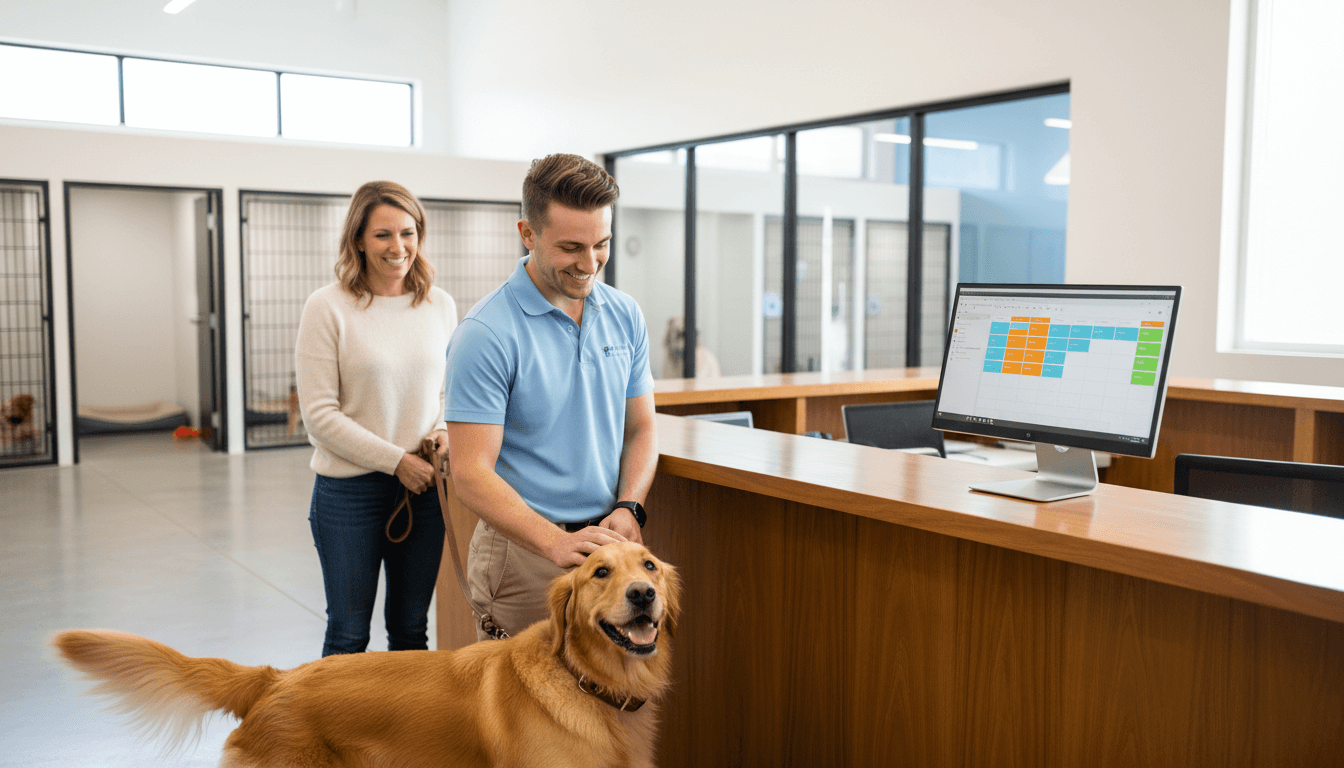
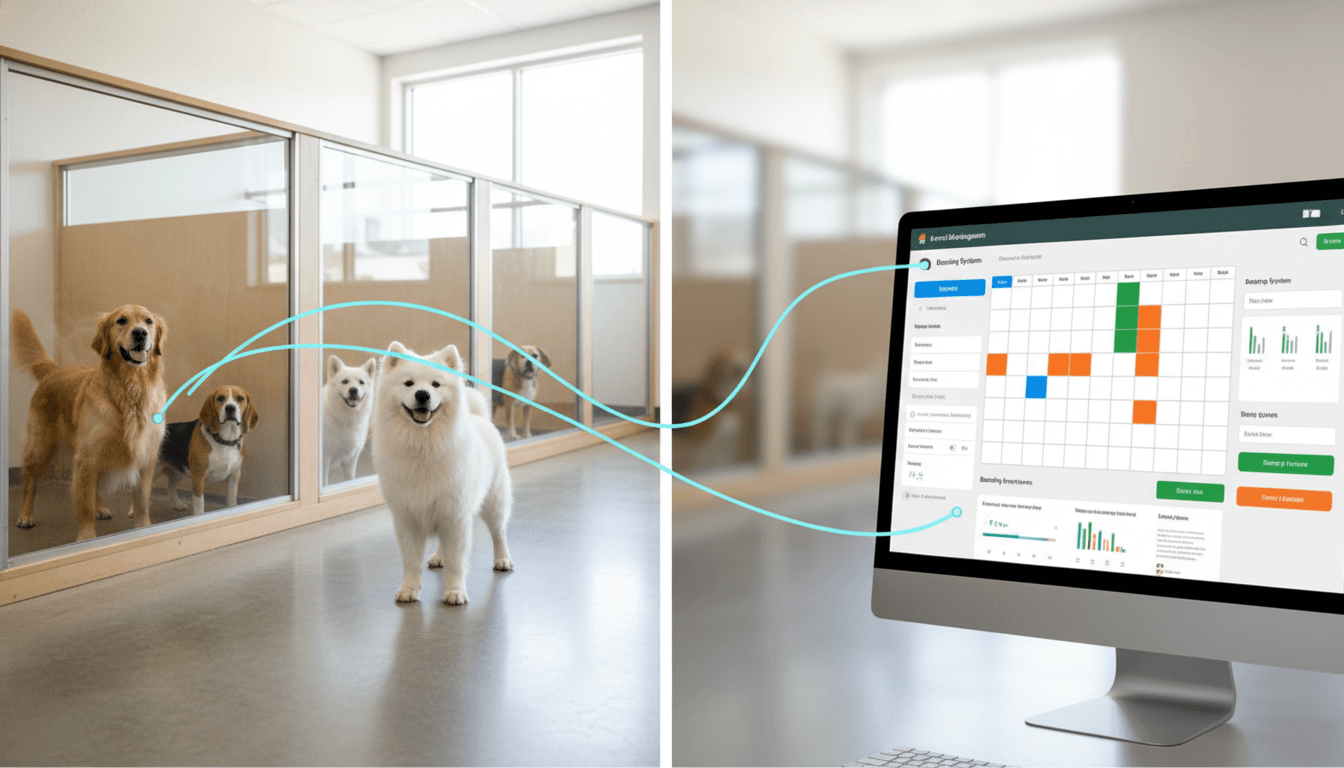
Dog boarding software (also called kennel management software or pet boarding software) is a specialized business management system designed specifically for dog kennels, pet boarding facilities, doggy daycares, and pet hotels.
Unlike generic booking systems or spreadsheets, dog boarding software is built to handle the unique needs of pet care businesses:
- Multiple pets per booking (families with 3+ dogs)
- Complex pricing structures (size-based rates, add-on services)
- Pet-specific information (vaccination records, medical needs, dietary restrictions)
- Photo & video updates for pet parents
- Check-in/check-out workflows with digital signatures
- Run/kennel assignment and capacity management
The Modern Reality: According to the American Pet Products Association, the pet boarding industry generates over $7 billion annually in the US alone. Facilities that use specialized software report 40% less administrative time and 25% higher customer satisfaction scores.
Why Your Kennel Needs Boarding Software
If you're still managing your boarding business with phone calls, paper forms, or basic spreadsheets, you're leaving money on the table and working harder than necessary.
The Pain Points of Manual Booking Management
1. Double Bookings & Overbooking
- Manually tracking kennel availability across phone, email, and walk-ins leads to errors
- One double-booking can ruin your reputation and cause refunds
2. Time-Consuming Administrative Work
- Staff spend 10-15 hours per week on booking confirmations, reminders, and follow-ups
- Manual invoicing and payment collection creates cash flow delays
3. Lost Revenue from Poor Communication
- Missed calls = missed bookings
- No automated reminders = higher no-show rates
- Can't accept bookings outside business hours
4. Difficulty Scaling
- Hard to expand to multiple locations without systems
- Can't hire staff easily because processes aren't documented
- Growth creates chaos instead of profit
5. Poor Customer Experience
- Pet parents want online booking (78% according to 2025 studies)
- No easy way to send photo updates
- Difficult to track pet preferences and history
The Benefits of Dog Boarding Software
For Your Business:
- ✅ Save 15-20 hours/week on administrative tasks
- ✅ Increase bookings by 30-50% with online reservations
- ✅ Reduce no-shows by 40% with automated reminders
- ✅ Improve cash flow with online payment processing
- ✅ Better capacity management - maximize kennel utilization
- ✅ Data-driven decisions with reporting and analytics
For Your Customers:
- ✅ 24/7 online booking - book anytime, anywhere
- ✅ Instant confirmations - no waiting for callbacks
- ✅ Photo & video updates - peace of mind while traveling
- ✅ Easy rebooking - customer portal with booking history
- ✅ Automatic reminders - vaccination expiry, pickup times
- ✅ Professional experience - builds trust and loyalty
Essential Features to Look For
Not all dog boarding software is created equal. Here are the must-have features for a modern kennel management system:
1. Online Booking System
Why it matters: 67% of pet parents prefer to book services online rather than call.
What to look for:
- Public booking page (embed on your website or use hosted page)
- Real-time availability calendar
- Customizable booking form (capture vaccination records, emergency contacts)
- Multiple service types (boarding, daycare, grooming add-ons)
- Automatic confirmation emails
- Booking modifications and cancellations
- Waitlist management
Pro tip: Choose software that allows customers to create accounts and see their booking history—this encourages repeat business.
2. Kennel/Run Management
Why it matters: Prevent overbooking and optimize capacity utilization.
What to look for:
- Visual kennel layout (drag-and-drop assignments)
- Size-based run matching (small/medium/large dog kennels)
- Capacity tracking by date
- Block out dates for maintenance
- Special accommodation requests (quiet area, indoor/outdoor)
- Group boarding for families
Example: If you have 20 kennels (8 small, 8 medium, 4 large), the system should prevent booking 9 large dogs on the same night.
3. Customer & Pet Profiles (Pet CRM)
Why it matters: Personalized service creates loyal customers who refer others.
What to look for:
- Unlimited pet profiles per customer
- Pet photos and detailed information
- Vaccination tracking with expiry alerts
- Medical conditions & medications
- Dietary requirements & feeding schedule
- Behavioral notes (good with other dogs, separation anxiety)
- Emergency contacts
- Preferred groomer or caretaker
- Booking history and preferences
Power feature: Some systems use AI to analyze pet preferences and automatically suggest services.
4. Payment Processing & Invoicing
Why it matters: Get paid faster and reduce administrative overhead.
What to look for:
- Integrated payment gateway (Stripe, Square, PayPal)
- Accept credit cards, debit cards, digital wallets
- Automatic invoice generation
- Deposit and prepayment options
- Refund processing
- Payment plans for long-term boarding
- Late payment reminders
- Financial reporting
Revenue impact: Facilities that accept online payments report 35% faster payment collection compared to invoice + check.
5. Automated Communication
Why it matters: Reduces phone calls and no-shows while improving customer satisfaction.
What to look for:
- Automated booking confirmations
- Pre-arrival reminders (with vaccination check)
- Check-in/check-out notifications
- Photo & video sharing
- Birthday messages for pets
- Promotional campaigns (seasonal discounts)
- Review requests post-stay
- SMS or email options
Best practice: Send a photo or video update daily during extended stays—customers love this!
6. Check-in/Check-out Workflow
Why it matters: Creates professional first/last impressions and protects your business legally.
What to look for:
- Digital intake forms
- Photo documentation (take photos at check-in)
- Electronic signature capture
- Liability waiver acceptance
- Belongings checklist (leash, toys, medications)
- Condition notes (existing injuries, skin issues)
- Quick check-in with mobile app
- Express checkout with saved payment methods
7. Staff Management
Why it matters: Track who did what, manage schedules, and improve accountability.
What to look for:
- Staff scheduling and shift management
- Role-based permissions (front desk vs. caregiver)
- Task assignments (feeding, medication, walks)
- Time tracking
- Performance metrics
- Staff communication/notes
8. Reporting & Analytics
Why it matters: Make data-driven decisions to grow your business.
What to look for:
- Revenue reports (daily, weekly, monthly)
- Occupancy rates and capacity utilization
- Booking sources (where customers find you)
- Popular services and add-ons
- Customer retention rates
- Staff performance
- Financial forecasting
- Export to Excel/CSV
Key metric to track: Revenue per available kennel night (RevPAK)—similar to hotels tracking RevPAR.
9. Additional Features (Nice to Have)
- Mobile app for staff and customers
- Multi-location support for growing businesses
- Grooming scheduling if you offer grooming
- Retail POS for selling treats, toys, supplies
- Daycare check-in for doggy daycare services
- Webcam integration (let owners watch their pets)
- Website builder with integrated booking
- Marketing tools (email campaigns, loyalty programs)
- API & integrations (QuickBooks, Mailchimp, Google Calendar)
Top Dog Boarding Software in 2026
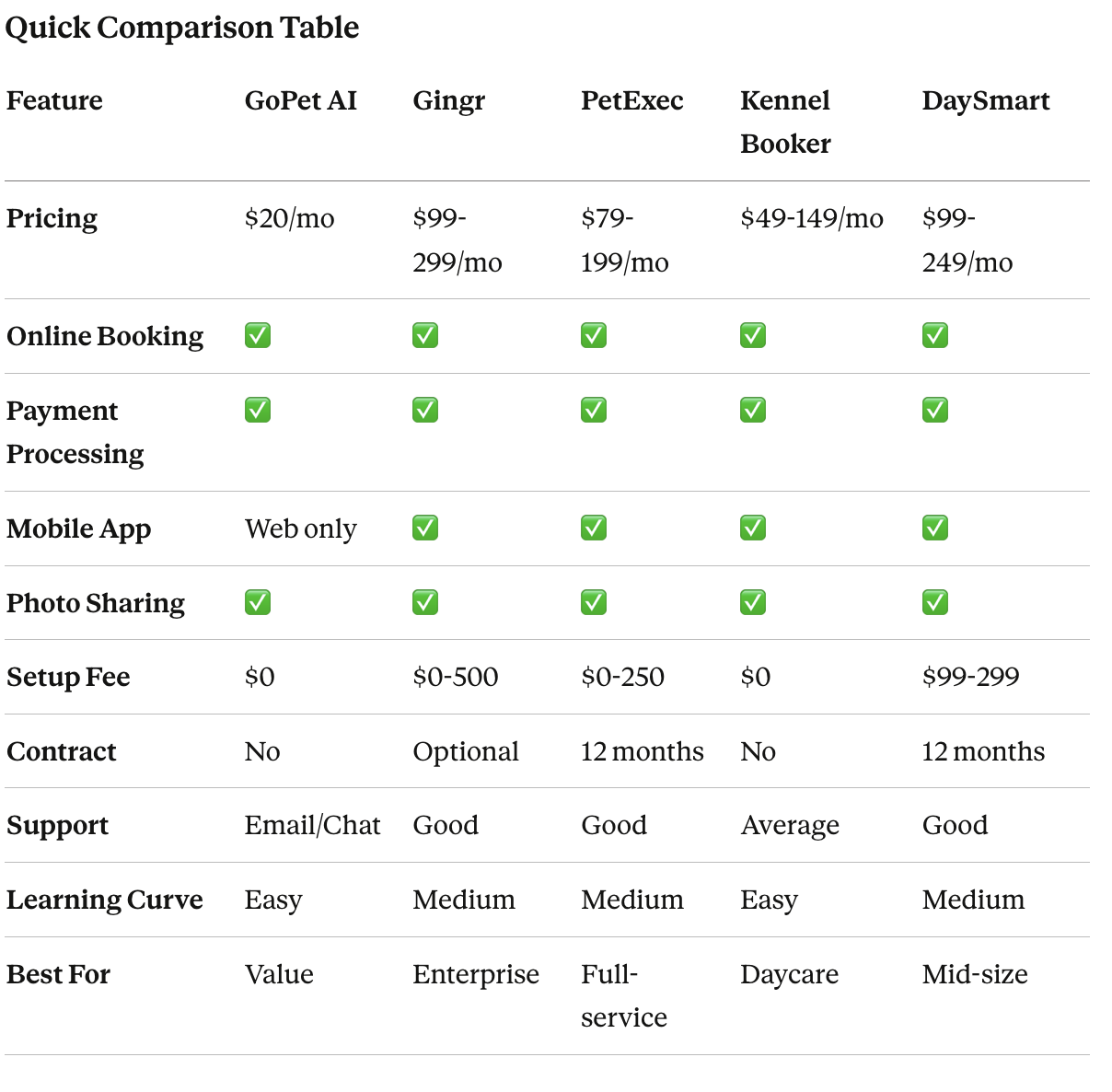
Here's an honest comparison of the leading dog boarding software platforms. We've tested each one and gathered real user feedback.
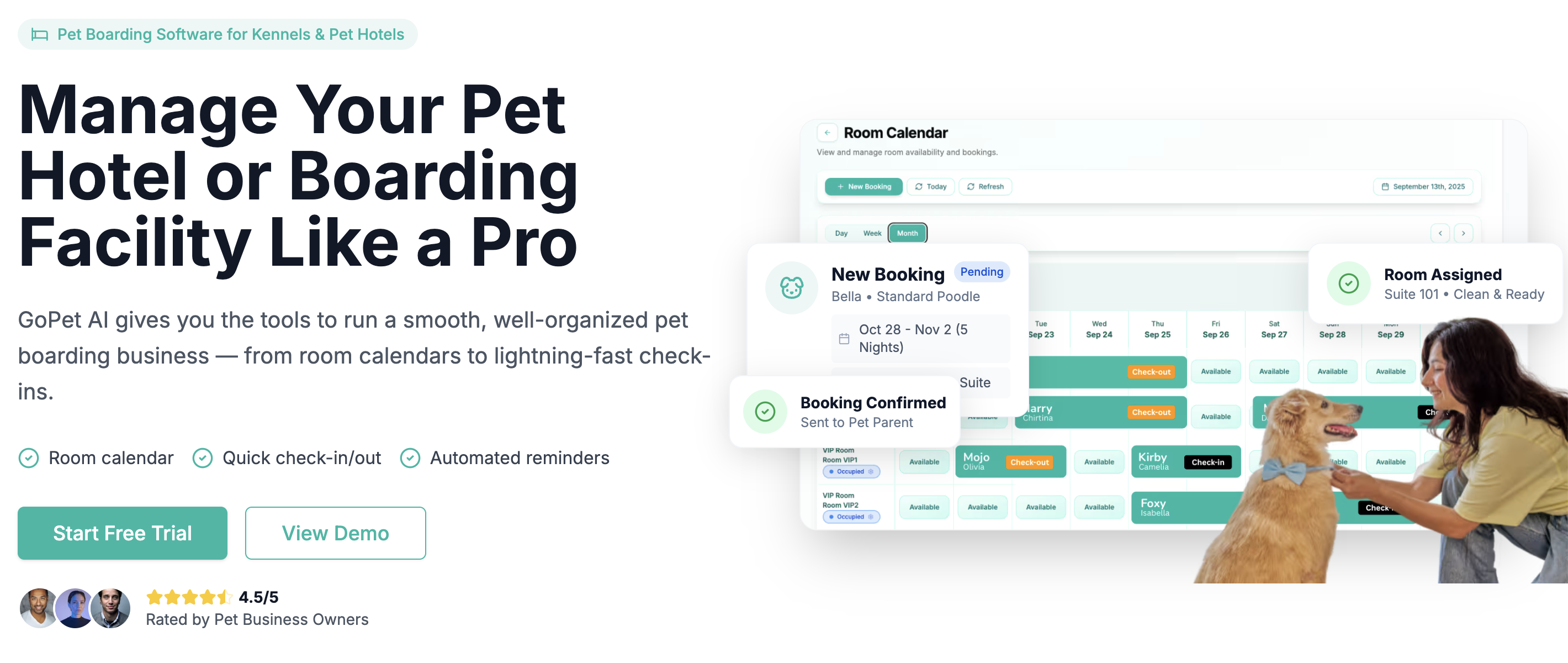
1. GoPet AI ⭐ Best Overall Value
Pricing: $20/month (all features included)
Best for: Small to medium-sized kennels and pet hotels looking for affordable, all-in-one solution
Key Strengths:
- ✅ Incredibly affordable at $20/month with no hidden fees
- ✅ Modern, intuitive interface that staff learn in minutes
- ✅ All features included (no tiered pricing nonsense)
- ✅ Online booking, payments, CRM, and communication
- ✅ Excellent customer support (not outsourced)
- ✅ Built for international use (works in Malaysia, US, Australia, etc.)
- ✅ No long-term contracts—cancel anytime
Key Features:
- Public booking page with real-time availability
- Automated reminders and confirmations
- Pet profiles with vaccination tracking
- Photo/video sharing with pet parents
- Stripe payment integration
- Staff management and roles
- Financial reporting and analytics
- Mobile-responsive (works on tablets/phones)
Limitations:
- Newer player (less brand recognition than 20-year-old competitors)
- No native mobile app yet (but web app works great)
- Limited third-party integrations compared to enterprise platforms
Who should choose GoPet AI:
- Kennels with 5-50 runs
- Budget-conscious business owners
- Tech-savvy operators who value modern UX
- International businesses outside the US
- Businesses that want to avoid $100-300/month software costs
Real user feedback: "We switched to GoPet AI and cut our software costs by 75%. The interface is so much cleaner and our staff actually enjoys using it." - Sarah M., Pet Paradise Boarding
2. Gingr ⭐ Best for Large Multi-Location Operations
Pricing: $99-299/month depending on features and locations
Best for: Large pet resorts and multi-location franchises
Key Strengths:
- Robust reporting for enterprise operations
- Advanced revenue management
- Franchise management features
- Integrations with many pet industry tools
Limitations:
- Expensive, especially for small kennels
- Steeper learning curve
- Customer support can be slow
- Dated interface
3. PetExec ⭐ Best for Full-Service Pet Businesses
Pricing: $79-199/month
Best for: Facilities offering boarding + grooming + daycare + training
Key Strengths:
- Comprehensive service management
- Good scheduling for multiple service types
- Strong grooming features
- Marketing automation
Limitations:
- Can be overwhelming with too many features
- Pricey for boarding-only facilities
- Some features feel "bolted on"
4. Kennel Booker ⭐ Best for Daycare-Heavy Businesses
Pricing: $49-149/month
Best for: Doggy daycares with some boarding
Key Strengths:
- Excellent daycare check-in/out
- Good mobile app
- Activity scheduling
- Report cards
Limitations:
- Less robust for boarding-only
- Limited customization
- Extra fees for some features
5. DaySmart Pet ⭐ Good All-Rounder
Pricing: $99-249/month
Best for: Mid-sized facilities wanting proven software
Key Strengths:
- Well-established (formerly PetLinx)
- Reliable and stable
- Good customer support
- Comprehensive features
Limitations:
- Expensive
- Interface feels dated
- Slow to add new features
- Lock-in contracts
Pricing Guide: What to Expect
Dog boarding software typically costs between $20-300 per month depending on features, company size, and locations.
Pricing Models Explained
1. Flat Monthly Fee (Most Common)
- Simple: One price, all features
- Example: GoPet AI at $20/month
- Pros: Predictable, easy to budget
- Cons: Might pay for features you don't use
2. Tiered Pricing
- Multiple plans (Basic, Pro, Enterprise)
- Example: PetExec $79/$129/$199
- Pros: Start small, upgrade as you grow
- Cons: Missing key features in lower tiers
3. Per-Location Pricing
- Base price + additional fee per location
- Example: Gingr $99 for one location, +$50 each additional
- Pros: Scales with business size
- Cons: Gets expensive fast for franchises
4. Per-Booking or Revenue Share
- Some platforms charge per booking or % of revenue
- Example: 2-5% of bookings or $1-2 per reservation
- Pros: Pay-as-you-go
- Cons: Can get very expensive during peak seasons
Hidden Costs to Watch For
Common add-ons not included in base price:
- ❌ Payment processing fees (2.9% + 30¢ per transaction is standard)
- ❌ SMS messaging credits ($0.01-0.03 per text)
- ❌ Setup/onboarding fees ($99-500)
- ❌ Training sessions ($50-150/hour)
- ❌ Premium support ($29-99/month)
- ❌ Additional users/staff ($5-15 per user/month)
- ❌ Custom domain for booking page ($10-20/month)
- ❌ API access ($49-99/month)
- ❌ Data migration from old system ($200-1000)
Total cost of ownership example:
- Software: $79/month
- Payment processing: ~$150/month (on $5,000 revenue)
- SMS credits: $30/month
- Extra users: $20/month (2 additional staff)
- Real monthly cost: $279 (not the advertised $79!)
Budget-Friendly Options
If budget is tight, consider:
- Start with essential features only - Skip webcams, loyalty programs, advanced marketing until you're established
- Annual prepay discounts - Most offer 10-20% off for yearly payment
- Look for inclusive pricing - GoPet AI includes everything for $20/month
- Free trials - Test before committing (most offer 14-30 days free)
How to Choose the Right Software
Choosing dog boarding software is a big decision. Here's a step-by-step framework to make the right choice for YOUR business.
Step 1: Define Your Must-Have Features
Create a prioritized list:
Essential (Can't live without):
- [ ] Online booking
- [ ] Payment processing
- [ ] Customer & pet database
- [ ] Calendar/scheduling
- [ ] Automated confirmations
Important (Really want):
- [ ] Photo sharing
- [ ] Staff management
- [ ] Reporting
- [ ] Mobile access
- [ ] Check-in/checkout workflow
Nice to Have (Bonus):
- [ ] Mobile app
- [ ] Website builder
- [ ] Marketing automation
- [ ] Loyalty program
- [ ] Webcams
Step 2: Assess Your Business Size & Complexity
Small Kennel (1-15 runs):
- Focus on simplicity and affordability
- Don't need enterprise features
- Consider: GoPet AI, Kennel Booker
Medium Kennel (16-50 runs):
- Need good reporting and capacity management
- Staff scheduling becomes important
- Consider: GoPet AI, PetExec, DaySmart
Large/Multi-Location (50+ runs or 2+ locations):
- Need advanced reporting and analytics
- Franchise management features
- Consider: Gingr, PetExec Enterprise
Full-Service Facility (Boarding + Grooming + Daycare + Training):
- Need comprehensive service scheduling
- Consider: PetExec, DaySmart
Step 3: Set Your Budget
Calculate total monthly cost:
- Base software fee
- Payment processing (estimate 3% of revenue)
- SMS credits (estimate $20-50/month)
- Additional users
- Any add-ons
Rule of thumb: Software should cost < 2% of monthly revenue
Example:
- Revenue: $15,000/month
- Software budget: <$300/month total cost
- If you're spending $400+, you're overpaying
Step 4: Try Before You Buy
Always test the software with real workflows:
Test Checklist:
- Create a customer and pet profile
- Make a booking as if you're a customer (use the public booking page)
- Check in a pet
- Send a photo update
- Process a payment
- Check out a pet
- Generate a report
- Try the mobile experience
Invite your staff to test too—they're the ones who'll use it daily.
Step 5: Consider Future Growth
Scalability questions:
- Can you easily add locations?
- Is there a per-location fee?
- Can you add unlimited staff users?
- Does reporting work across multiple locations?
- Can you export your data if you switch later?
Don't lock yourself in: Avoid long-term contracts if possible. Business needs change.
Implementation & Training
You've chosen your software—now what? Here's how to implement it successfully without disrupting your business.
Timeline: 2-4 Weeks to Full Launch
Week 1: Setup & Configuration
- [ ] Create your account
- [ ] Set up services and pricing
- [ ] Configure kennel/run layout
- [ ] Set business hours and policies
- [ ] Connect payment processor
- [ ] Design email templates
- [ ] Customize booking page
- [ ] Add staff members
Week 2: Data Migration
- [ ] Import existing customer data
- [ ] Add pet profiles and vaccination records
- [ ] Input current bookings
- [ ] Set up historical data (if needed)
- [ ] Double-check everything migrated correctly
Week 3: Training & Testing
- [ ] Train front desk staff
- [ ] Train caregiving staff
- [ ] Run test bookings
- [ ] Test payment processing
- [ ] Send test emails and SMS
- [ ] Practice check-in/check-out
- [ ] Identify and fix issues
Week 4: Soft Launch
- [ ] Announce to existing customers
- [ ] Add booking link to website
- [ ] Start accepting online bookings
- [ ] Monitor closely for issues
- [ ] Gather staff feedback
- [ ] Make adjustments
Training Your Team
Best practices:
- Start with why - Explain benefits to staff (less paperwork, fewer errors, easier their job)
- Hands-on training - Let them actually use the system, not just watch demos
- Create cheat sheets - Print quick reference guides for common tasks
- Assign a champion - Make one tech-savvy staff member the "go-to" expert
- Schedule practice time - Give staff paid time to practice before go-live
- Be patient - Expect 2-3 weeks before everyone is comfortable
Common staff concerns & how to address them:
"I'm not good with computers" → Modern software is designed to be simple. If you can use Facebook, you can use this.
"This will take longer than our old way" → First week yes, but after that it's 50% faster. Let's track time together.
"What if I make a mistake?" → That's why we're practicing first. And there's always an undo button.
Data Migration Tips
If you're switching from another system:
- Export everything from old system (CSV files)
- Clean data first - Remove duplicates, fix errors
- Start with customers - Get contact info right
- Then pets - Match each pet to correct owner
- Import bookings last - Focus on current and future only
- Verify randomly - Check 10-20 records to ensure accuracy
Pro tip: Most good software companies will help with data migration for free or small fee.
Launch Communication
Announce to customers:
Email template:
Subject: New Online Booking Now Available! 🐶

Hi [Customer Name],

Great news! We've upgraded our booking system to make your life easier.

You can now:
✅ Book boarding online 24/7
✅ View your booking history
✅ Receive photo updates
✅ Pay securely online

Get started: [Booking Link]

Your existing bookings are already in the new system—no action needed.

Questions? Call us at [Phone] or reply to this email.

Happy tails,
[Your Kennel Name]
Social media posts:
- Share a video tour of the new booking page
- Post screenshots showing how easy it is
- Offer a small discount for first online booking
ROI: Is It Worth the Investment?
Let's do the math. Here's the real return on investment for dog boarding software.
Time Savings
Manual booking management:
- 2-3 minutes per phone booking × 50 bookings/month = 150 minutes
- 10 minutes per manual invoice × 50 = 500 minutes
- 5 minutes per confirmation call × 50 = 250 minutes
- 15 minutes per reminder call × 50 = 750 minutes
- Total: 1,650 minutes = 27.5 hours per month
With software:
- Online bookings: Automatic (0 minutes)
- Invoices: Automatic (0 minutes)
- Confirmations: Automatic (0 minutes)
- Reminders: Automatic (0 minutes)
- Total: ~3 hours per month (just handling exceptions)
Time saved: 24.5 hours per month
At $15/hour labor cost = $367.50 saved per month
Revenue Increases
Online booking convenience:
- Captures bookings when you're closed (evenings, weekends)
- No more "I'll call back later" (and they forget)
- Impulse bookings on mobile
- Conservative increase: 10-15% more bookings
Example:
- Current: 50 bookings/month at $50 average = $2,500
- With software: 55 bookings/month = $2,750
- Additional revenue: $250/month
Reduced no-shows:
- Manual reminders: 8-10% no-show rate
- Automated reminders: 3-4% no-show rate
- Reduction: 5-6 fewer no-shows per month
At $50 per booking = $250-300 recovered revenue/month
Upsells and add-ons:
- Software prompts for add-ons during booking
- Grooming, baths, extra walks, playtime
- Increase: 20-30% upsell rate
Additional $5-10 per booking × 50 = $250-500/month
Total ROI Calculation
Monthly Benefits:
- Time savings: $367
- More bookings: $250
- Fewer no-shows: $275
- Upsells: $375
- Total monthly benefit: $1,267
Monthly Cost:
- Software: $20-100 (let's use $60 average)
- Payment processing: $150 (unavoidable, would pay anyway)
- SMS credits: $30
- Total monthly cost: $90 (excluding processing fees)
Net monthly benefit: $1,177
ROI: 1,300% or 13:1 return
Payback period: Less than 1 week
Intangible Benefits
Not everything shows up in numbers:
Better customer experience:
- Professional image attracts premium customers
- Convenience builds loyalty
- Photo updates create emotional connection
- Results in more 5-star reviews
Less stress for you:
- No more missed calls anxiety
- Sleep better knowing bookings are handled
- Enjoy weekends without phone interruptions
- Scale without chaos
Better employee experience:
- Less tedious work = happier staff
- Lower turnover = less training time
- Clear processes = fewer mistakes
- Results in better service quality
Business intelligence:
- Know your busiest times
- Identify most profitable services
- Track customer lifetime value
- Make data-driven decisions
Common Mistakes to Avoid
Learn from others' mistakes. Here are the top errors kennel owners make when choosing and implementing boarding software:
Mistake #1: Not Involving Your Staff
The trap: Owner chooses software, staff hates it, resistance ensues.
Why it backfires:
- Staff are the daily users—if they don't like it, they'll fight it
- They might know requirements you don't
- Their buy-in is crucial for success
Smart approach: Include at least one staff member in the evaluation. Let them test the finalists and vote.
Mistake #2: Skipping the Free Trial
The trap: "The sales demo looked great, let's sign up!"
Why it backfires:
- Sales demos show the best features in ideal conditions
- Real usage reveals bugs, missing features, poor UX
- You're locked into a contract
Smart approach: Always do a full trial with real bookings. Test edge cases and unusual scenarios.
Mistake #3: Not Reading the Contract
The trap: Clicking "I agree" without reading terms.
Why it backfires:
- Hidden fees appear
- Cancellation penalties surprise you
- Data export restrictions trap you
- Auto-renewal charges your card
Smart approach: Read carefully, especially:
- Contract length and auto-renewal terms
- Cancellation policy and fees
- Price increase clauses
- Data ownership and export rights
- Support level included
Mistake #4: Migrating Too Fast
The trap: "Let's switch everything this weekend!"
Why it backfires:
- Data migration errors
- Staff isn't trained
- Customers get confused
- Bookings fall through cracks
Smart approach:
- Run parallel systems for 1-2 weeks
- Start with new bookings only in new system
- Gradually migrate existing data
- Have a rollback plan
Mistake #5: Over-Customization
The trap: "Let's configure every possible setting before we start!"
Why it backfires:
- Analysis paralysis—never actually launch
- Over-complicated setup
- Staff gets overwhelmed
Smart approach:
- Start with basic setup and default settings
- Go live quickly
- Customize gradually based on real usage
- KISS principle: Keep It Simple, Stupid
Mistake #6: Not Communicating with Customers
The trap: Changing systems without telling customers.
Why it backfires:
- Customers try old booking method and can't
- Confusion leads to lost bookings
- You look unprofessional
Smart approach:
- Announce 2 weeks before launch
- Send clear instructions with screenshots
- Offer phone help during transition
- Keep old system running for a grace period
Mistake #7: Ignoring Mobile Experience
The trap: Only testing on desktop computer.
Why it backfires:
- 60%+ of bookings happen on mobile
- Poor mobile experience = lost revenue
- Customers expect mobile-friendly
Smart approach:
- Test booking flow on iPhone and Android
- Ensure all features work on tablets
- Check that emails render well on mobile
- Verify payment processing works on phones
Frequently Asked Questions
Do I really need specialized boarding software? Can't I use a generic booking system?
Generic booking systems (like Google calendar, Calendly or Acuity) aren't designed for pet boarding. They can't handle:
- Multiple pets per booking
- Different rates for different dog sizes
- Vaccination tracking and expiration
- Kennel/run assignments
- Pet-specific dietary and medical notes
- Photo sharing with pet parents
You'll end up with a clunky workaround using multiple tools. Specialized boarding software is purpose-built for your needs and actually costs less than cobbling together multiple generic tools.
What's the difference between dog boarding software and kennel management software?
They're the same thing! Also called:
- Pet boarding software
- Kennel management software
- Dog boarding system
- Pet resort software
- Boarding kennel software
All refer to the same type of specialized business management system for dog boarding facilities.
How long does it take to set up and launch?
Typical timeline:
- Simple setup: 1-2 weeks
- Medium complexity: 2-3 weeks
- Full migration from another system: 3-4 weeks
This includes configuration, data migration, staff training, and soft launch.
Most software is designed to be quick to deploy—the hardest part is usually cleaning up existing customer data before importing.
Can customers book online without creating an account?
This varies by software:
- Guest checkout: Some allow one-time bookings without account (like GoPet AI)
- Required account: Others require account creation for any booking
- Hybrid: Allow guest first booking, then encourage account for next visit
Best practice: Allow guest checkout to reduce friction, but incentivize account creation (faster rebooking, booking history, loyalty points).
What happens if my internet goes down?
Modern cloud-based software requires internet connectivity. However:
During outage:
- Take bookings on paper/phone
- Enter them when internet returns
- Most systems have mobile hotspot backup option
Why cloud is still better than local software:
- Accessible from anywhere (home, laptop, phone)
- Automatic backups
- No need to maintain servers
- Software updates happen automatically
- 99.9% uptime (better than your internet probably!)
Mitigation: Have a backup internet connection (mobile hotspot) for critical periods.
How secure is customer and payment data?
Reputable dog boarding software uses:
- 256-bit SSL encryption for data transmission
- PCI DSS compliance for payment processing
- Encrypted databases for storage
- Regular security audits
- Automatic backups
- Role-based access (staff only see what they need)
This is actually MORE secure than paper files or local spreadsheets that can be lost, stolen, or accidentally deleted.
Can I export my data if I decide to switch software later?
Good software allows you to export your data in standard formats (CSV, Excel). Always verify this before signing up.
What you should be able to export:
- Customer contact information
- Pet profiles and medical records
- Booking history
- Financial reports
Red flag: Software that makes it difficult or impossible to export your own data. This is YOUR data—you should own it.
Do I need to buy special hardware?
No! Modern dog boarding software is cloud-based and works on:
- Any computer with internet browser (Windows, Mac, Linux)
- Tablets (iPad, Android tablets)
- Smartphones
You don't need:
- Special servers
- Proprietary hardware
- Expensive POS terminals
Optional hardware you might want:
- Tablet for front desk check-ins
- Card reader for in-person payments (Stripe/Square readers are $50-100)
- Webcams if offering live pet views
What if staff or customers need help using the system?
Most software includes:
- Help documentation (articles, videos, tutorials)
- Email support (respond within 24-48 hours)
- Live chat (during business hours)
- Phone support (varies—some charge extra)
Better software providers offer:
- Free onboarding and training
- Customer webinars
- Staff training videos
- Quick reference guides
For customers: The booking process should be self-explanatory. If customers need help booking, that's a sign of poor UX.
Can the software handle multiple locations?
Many boarding software platforms support multiple locations:
Single-location pricing:
- Most base plans include one location
Multi-location features:
- Separate availability calendars per location
- Consolidated reporting across locations
- Customer can choose location during booking
- Transfer bookings between locations
- Staff assigned to specific locations
Pricing: Expect to pay per additional location:
- GoPet AI: $20/month per location
- Gingr: $50/month per additional location
- PetExec: $30-50/month per additional location
Is training included, or does it cost extra?
Varies by provider:
Usually included free:
- Video tutorials and help docs
- Email support
- Basic onboarding checklist
Sometimes extra cost:
- Live training sessions ($50-150/hour)
- On-site training (travel costs + time)
- Dedicated implementation manager
- Customization assistance
GoPet AI approach: All training materials and support included free. We believe software should be intuitive enough that extensive paid training isn't necessary.
What if I have a unique workflow or requirement?
Most modern boarding software is flexible and can accommodate different workflows:
Commonly customizable:
- Service types and pricing
- Booking policies and rules
- Email/SMS templates
- Invoice formats
- Check-in/check-out processes
- Staff permissions and roles
Less flexible:
- Core software features (booking engine, CRM)
- User interface layout
- Mobile apps
When to consider custom development:
- You have truly unique needs (rare)
- You're a large enterprise with specific requirements
- Budget allows (custom dev is expensive)
Reality check: Most "unique" requirements are actually common needs. Try the software as-designed first before requesting customization.
How does pricing typically work for boarding software?
Common pricing models:
1. Flat monthly fee ($20-300/month)
- All features included
- Unlimited bookings
- Example: GoPet AI $20/month
2. Tiered pricing
- Different feature sets at different price points
- Basic/Pro/Enterprise tiers
- Example: PetExec $79/$129/$199
3. Per-booking fee
- $1-2 per booking OR 2-5% of booking value
- Less common, can get expensive
4. Per-location pricing
- Base fee + additional per location
- Example: $99 + $50/location
Additional costs to expect:
- Payment processing: ~3% per transaction (unavoidable)
- SMS credits: $0.01-0.03 per text
- Setup fee: $0-500 (one-time)
Can I try before I buy?
Yes! Virtually all dog boarding software offers free trials:
Standard trial periods:
- 14 days (most common)
- 30 days (generous)
- 7 days (too short IMO)
What to look for:
- No credit card required to start trial
- Full feature access (not limited trial version)
- Real support during trial
- Easy cancellation if not satisfied
Best practice: Test 2-3 different platforms during trial period to compare.
What happens to my data if I cancel?
Reputable providers:
- Allow you to export all data
- Keep your data for 30-60 days after cancellation
- Don't hold your data hostage
Before cancelling:
- Export all customer and pet data
- Download important reports
- Save booking history
- Backup any documents or photos
After cancellation:
- Booking page goes offline
- Staff access removed
- Data usually deleted after grace period
- Backups may be retained per privacy policy
Is there a setup fee or onboarding cost?
Varies by provider:
No setup fee:
- GoPet AI: $0
- Kennel Booker: $0
- Many modern SaaS providers
Setup fee charged:
- DaySmart: $99-299
- Gingr: $0-500 depending on plan
- Enterprise plans often include implementation
What's usually included:
- Account creation and basic configuration
- Help importing data
- Initial training session
Not usually included (may cost extra):
- Custom data migration
- On-site training
- Custom integrations
Conclusion: Make the Smart Choice for Your Kennel
Choosing the right dog boarding software is one of the most impactful decisions you'll make for your business. The right system will:
✅ Save you 15-20 hours per week on administrative tasks
✅ Increase bookings by 30-50% with convenient online reservations
✅ Improve customer satisfaction with professional service and communication
✅ Reduce errors and stress with automated workflows
✅ Provide data insights to grow your business strategically
The wrong choice wastes money and creates frustration.
Our Recommendation
For most kennels (5-50 runs), start with GoPet AI:
- Incredibly affordable at $20/month
- All features included (no hidden fees or tiered pricing)
- Modern, intuitive interface
- Excellent support
- No long-term commitment
Try it free for 14 days → Start Your Free Trial
For large multi-location operations (50+ runs, 3+ locations): Consider Gingr or PetExec Enterprise if budget allows and you need advanced reporting.
For full-service facilities (boarding + grooming + daycare + training): PetExec or DaySmart offer comprehensive service management.
Next Steps
- List your must-have features (use the checklist in this guide)
- Set your budget (remember to include total cost of ownership)
- Sign up for free trials of 2-3 systems
- Test with real workflows (book, check-in, payment, check-out)
- Involve your staff in the decision
- Choose and commit - don't overthink it, you can always switch later
- Plan your implementation (2-4 week timeline)
- Launch and iterate - start simple, customize as you learn
The Bottom Line
Modern dog boarding software isn't optional anymore—it's essential. Your competitors are using it. Your customers expect it. Your staff need it.
The question isn't "Should I get boarding software?" It's "Which one should I choose?"
Hopefully this guide has given you the knowledge and confidence to make the right choice for your business.
Ready to transform your kennel operations?
👉 Try GoPet AI Free for 14 Days - No credit card required
About GoPet AI
GoPet AI is a comprehensive pet care business management platform trusted by kennels, grooming salons, and pet boarding facilities worldwide. At just $20/month with all features included, we make professional business management software affordable for businesses of all sizes.
Features:
- Online booking with real-time availability
- Customer & pet CRM with vaccination tracking
- Payment processing and invoicing
- Automated reminders and communications
- Photo/video sharing
- Staff management
- Financial reporting and analytics
- Mobile-responsive design
Support:
- Free setup and onboarding
- Email and chat support
- Comprehensive help documentation
- Video tutorials
- No long-term contracts
Start Free Trial → | See Pricing → | View Demo →
About the author
Jeremy
Petcare Sales Manager
Passionate about helping pet businesses thrive through technology and innovation.
Ready to streamline your pet care business?
Join thousands of groomers, boarding facilities, daycare centres, and vet clinics using GoPet AI to manage bookings, CRM, POS, and invoicing — all in one place.
- ✓Online booking & scheduling
- ✓Invoicing, POS & payments
- ✓CRM & client management
- ✓Staff, loyalty & analytics
Setup in under 2 minutes · Cancel anytime